Capture one app
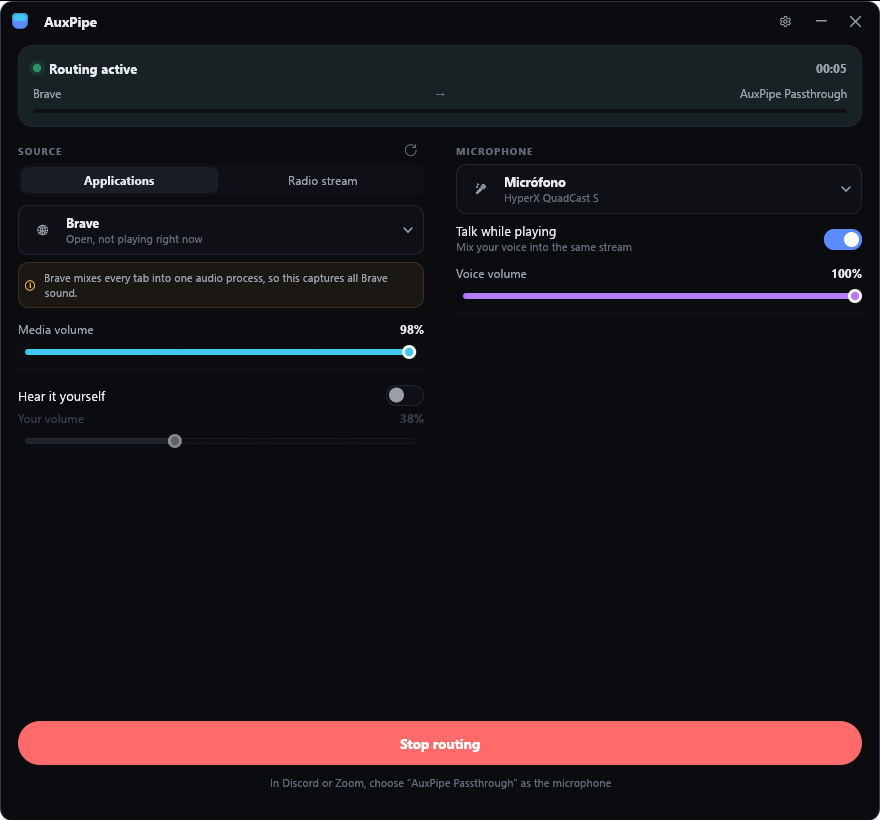
Select Spotify, a browser, a game or a video player. Only that app goes into the call. Your notifications stay private.
For Windows · On Steam
AuxPipe mixes the audio of one app with your microphone. Discord, Zoom, OBS and other apps receive the two as one microphone.
AuxPipe comes with the free VB-CABLE driver and installs it in a few clicks.
The trailer shows how AuxPipe sends the sound of one app and your voice into a call as one microphone.
Windows does not let an app make a microphone. AuxPipe sends its mix through a virtual audio cable. Your voice app uses the cable as its microphone.
Select Spotify, a browser, a game or a video player. Only that app goes into the call. Your notifications stay private.
Your voice and the media go out together. Each one has its own fader.
The media becomes quieter when you speak. It comes back when you stop.
AuxPipe folds the media to mono and limits the peaks. The voice app does not cancel or distort the music.
Start from tested settings for Discord, for meetings or for a live stream.
Play the media in your own headphones, at a volume that only you control.
Send a radio station into the call. AuxPipe shows the title of each track.
AuxPipe stays in the notification area. Global shortcuts mute the media, mute your microphone or stop the route while a game has focus.
Install it like any other app in your Steam library.
The first time AuxPipe opens, it looks for a virtual cable. If there is none, it installs the free VB-CABLE driver that comes with it.
In Discord or Zoom, select “CABLE Output” as the microphone, or “AuxPipe Passthrough” if you renamed it. In Discord, set noise suppression to None, not Krisp, because it removes music.
Updates and announcements, straight from AuxPipe's Steam page.
Loading the latest news
What AuxPipe does today, what is being built, and what comes next.
Every app's sound, on every desktop, in every call.
Open AuxPipe, pick the app that plays the music, such as Spotify or your browser, and press Start routing. In Discord, open User Settings, then Voice & Video, and set Input Device to the AuxPipe microphone ("AuxPipe Passthrough", or "CABLE Output"). Your friends hear the music and your voice together.
Windows does not let an app create a microphone. Only an audio driver can do that, and the virtual cable is that driver. AuxPipe writes its mix into the cable. Your voice app reads the cable as a microphone.
No. A browser sends the sound of all its tabs through one process. AuxPipe captures the process, so it captures all the tabs of that browser. To share one video, mute the other tabs.
Your voice app removes sounds that are not speech. In Discord, set Noise Suppression to None, not Krisp, and turn off Echo Cancellation. Then set the input sensitivity manually and move the slider fully to the left.
Steam records the app that it shows you playing. If "Show as playing on Steam" is on in AuxPipe's settings, Steam can record AuxPipe instead of a game that you start after it. Turn the setting off. It is off by default.
No. AuxPipe sends no data about you or your computer. It connects to the internet only to play a radio station that you select.
No. AuxPipe uses audio functions that only Windows has.